Step 1- Under your account select my giving

Step 2- Under the welcome screen please select the My Recurring gift 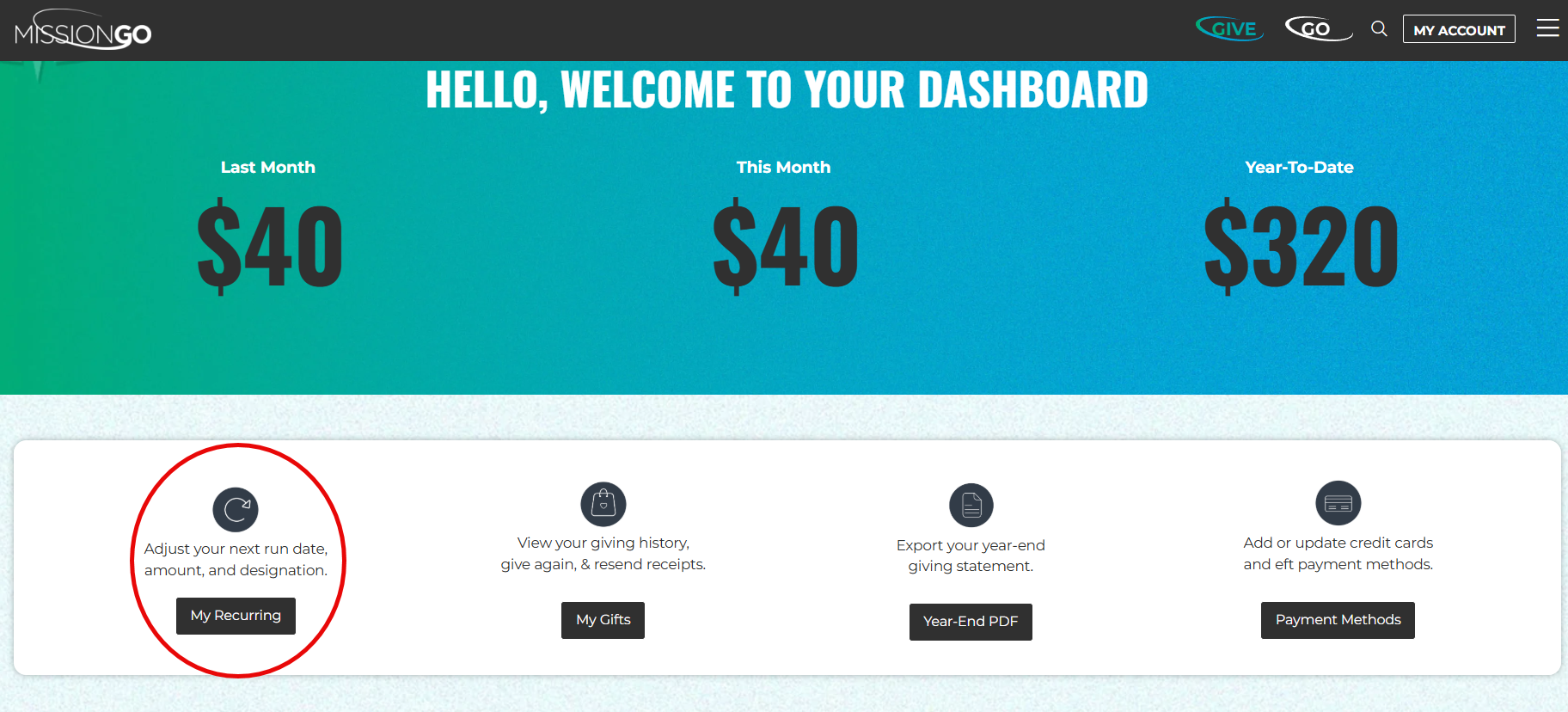
Step 3- Navigate to the recurring gift you would like to update and select the three lines next to the gift.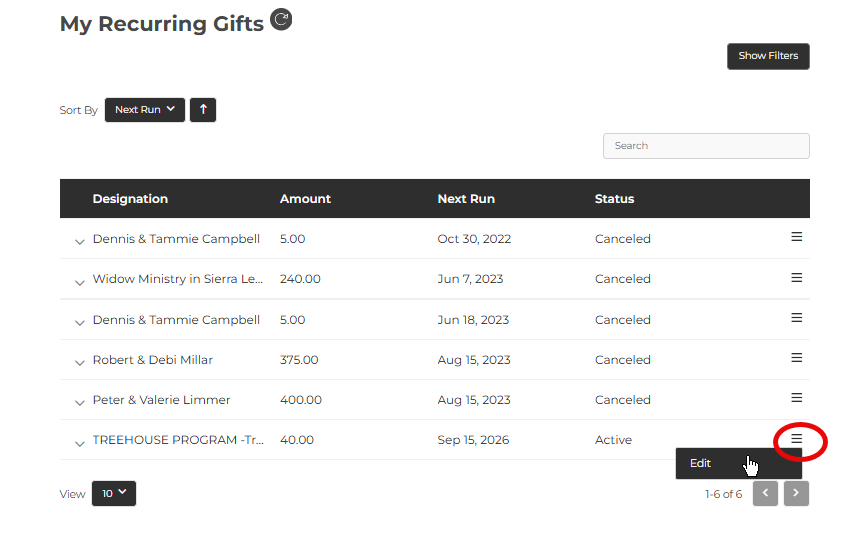
Step 4- Click "Edit" and a dialog box will open. 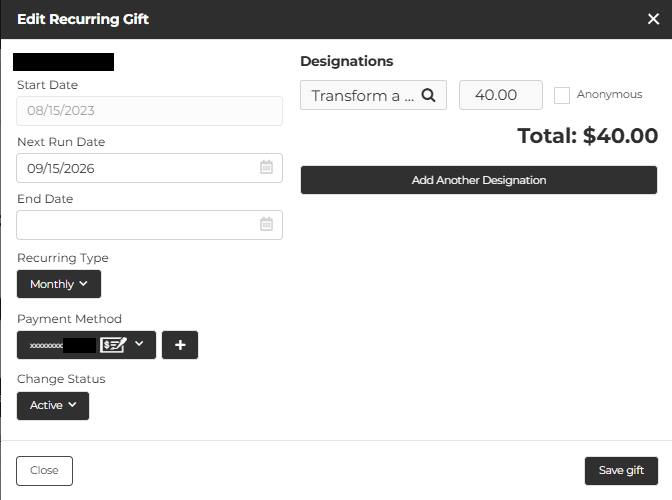
There you will be able to:
Edit your payment method: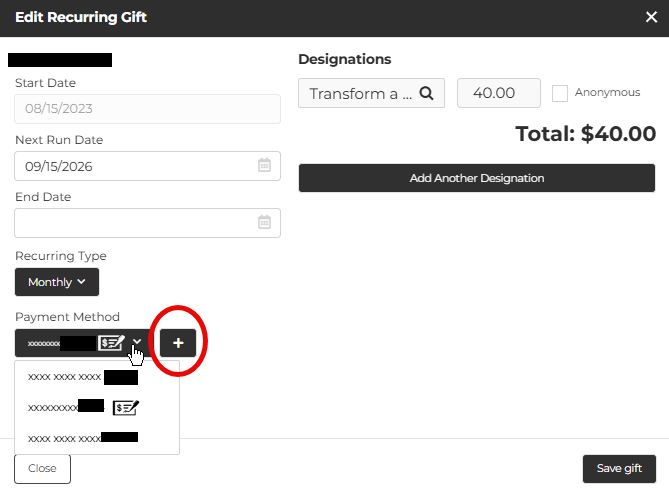
Edit your gift schedule:
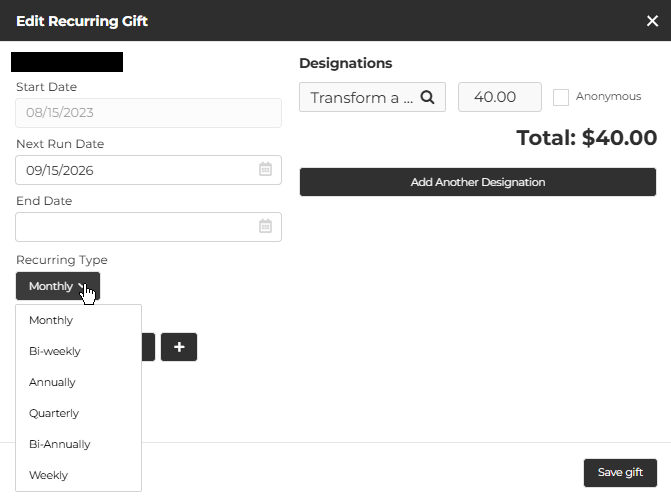
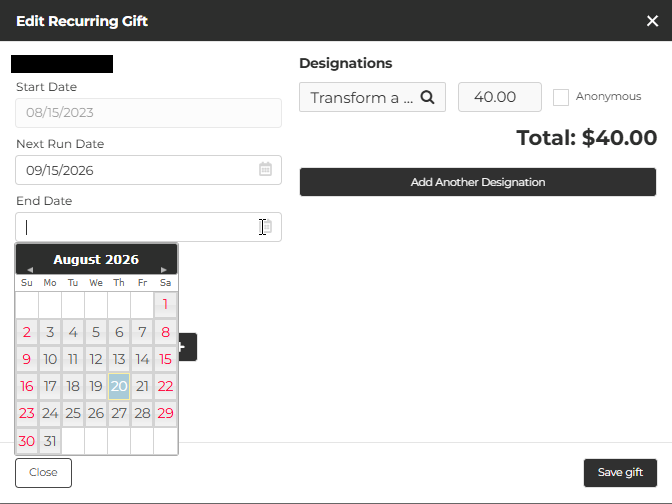
Schedule the end of your recurring gift:
Canceled your recurring gift:
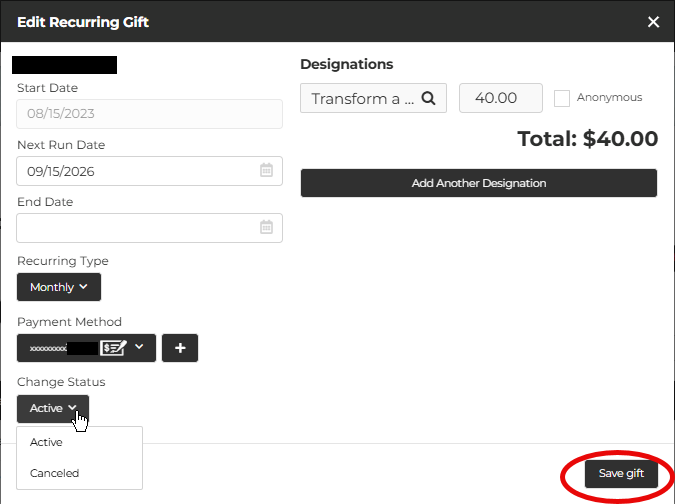
Click "Save gift" to save your changes.
Was this article helpful?
That’s Great!
Thank you for your feedback
Sorry! We couldn't be helpful
Thank you for your feedback
Feedback sent
We appreciate your effort and will try to fix the article